13155 Falcon Point Place
Truckee, CA 96161 USA
cell:  925-765-2883
email:  SierraDigitalAudio@gmail.com
Buy Me A Coffee  If you find something useful,
 A coffee is very appreciated!


  • MIDI System Designs
  • Embedded Systems Programming
  • Windows Device Drivers
  • PCB CAD and 3D Printing
  • Custom PC Builds


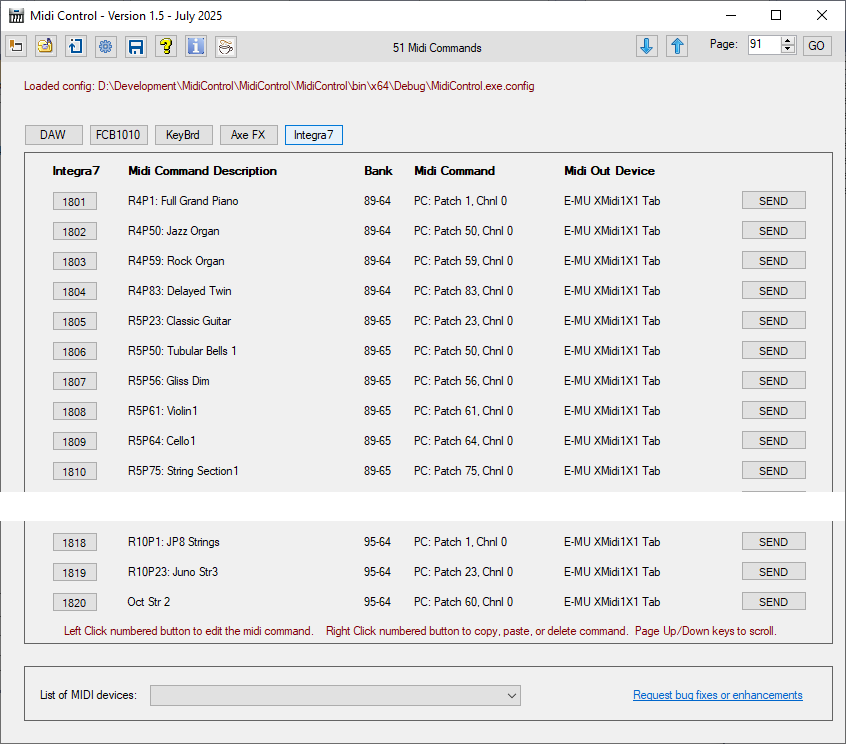
MidiControl Software with Roland Integra-7 Support (for Windows 10 and above)     FREE!

Have you ever wanted to control your MIDI devices from your PC desktop / laptop?   or, maybe you have a Roland Integra-7 MIDI Tone Generator and need a simplified control panel?
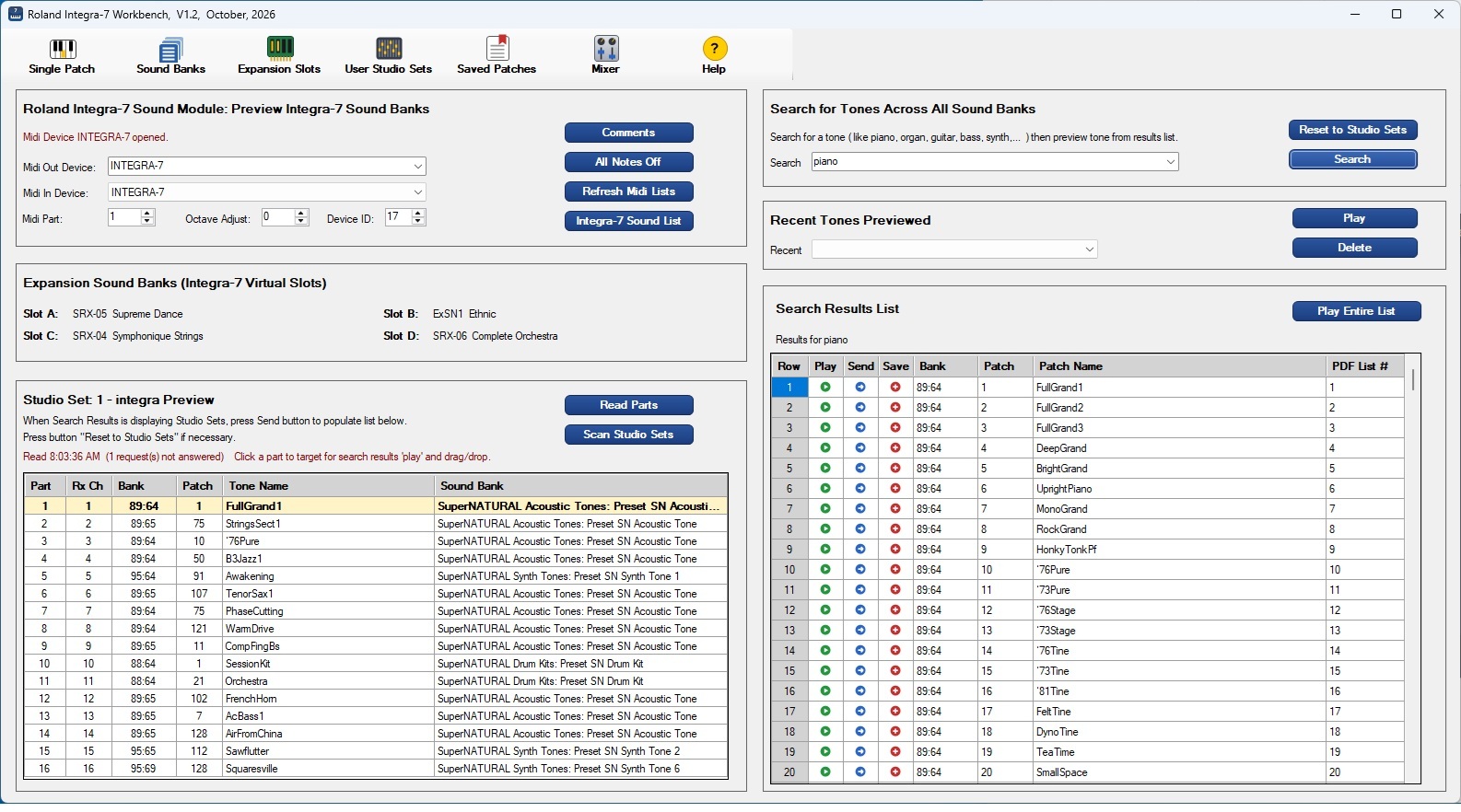
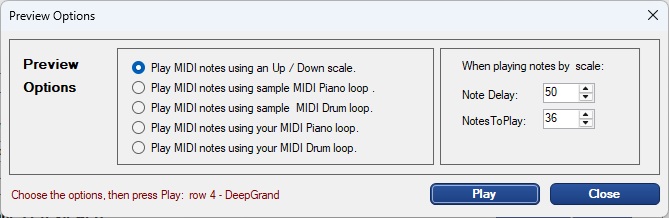
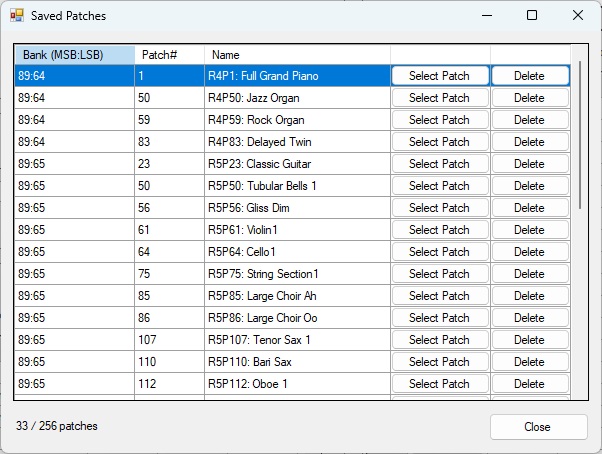
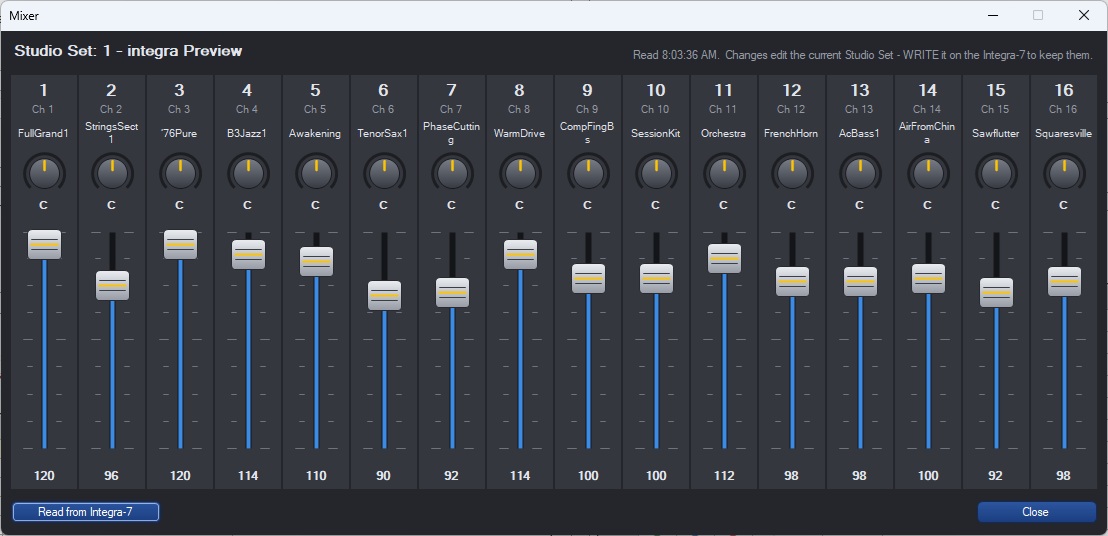
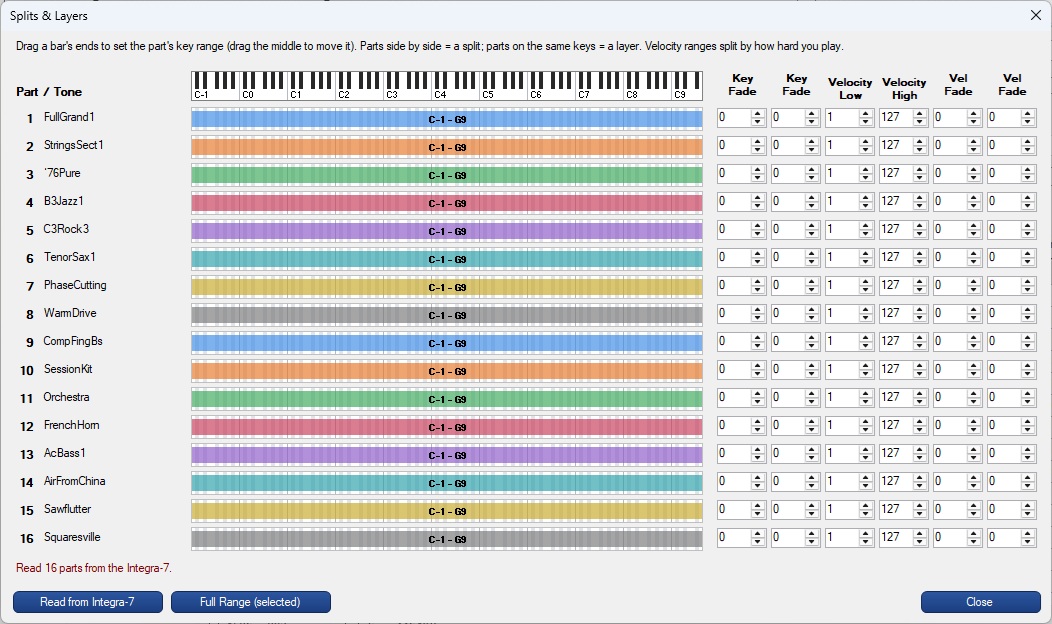
MidiControl is a FREE MIDI librarian used to catalog and organize MIDI 'patch change' and 'control change' commands for quick access from your PC desktop or laptop. Use MidiControl to define lists of Midi commands to more easily control MIDI devices from your desktop. For example, create a list of your most commonly used keyboard patches to send MIDI 'progam change' or 'control change' commands from your PC to your keyboard. Create bookmarks to group MIDI commands by MIDI device, song, setlist,... to easily switch between your various MIDI configurations. MidiControl provides 24 user configurable bookmarks allowing you to catalog / arrange up to 2000 Midi commands.    For Roland Integra-7 Sound Module users, MidiControl has a particularly useful 'patch preview' feature that allows you to easily scroll through and preview the Integra-7's 6000+ tones. Bookmark your favorite tones in the Integra-7 list for easy access to your favorite tones. During MidiControl installation, you have the option to install Roland Integra-7 Sound Module support.


MidiOrganize Software (for Windows 10 and above)     FREE!

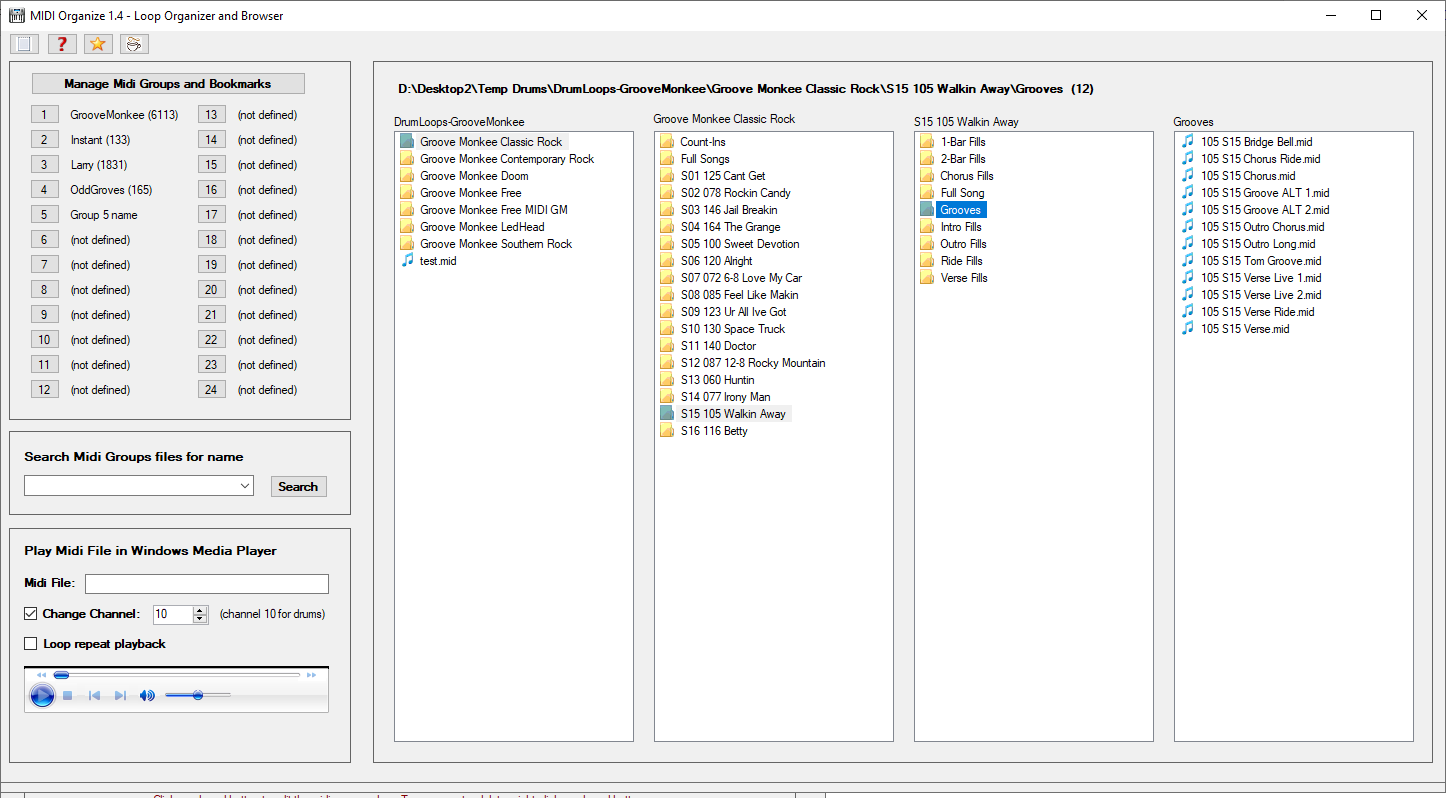
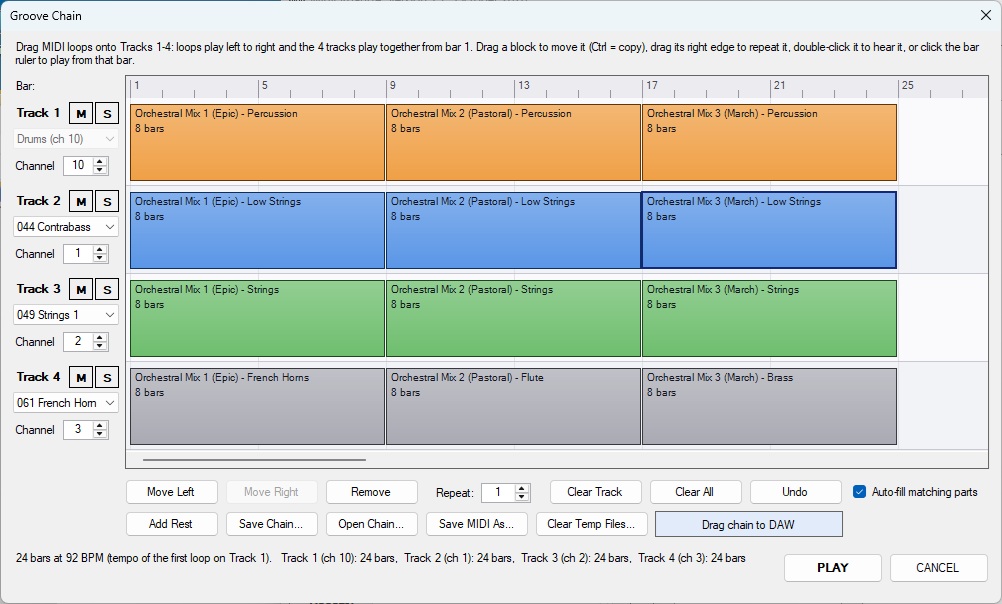
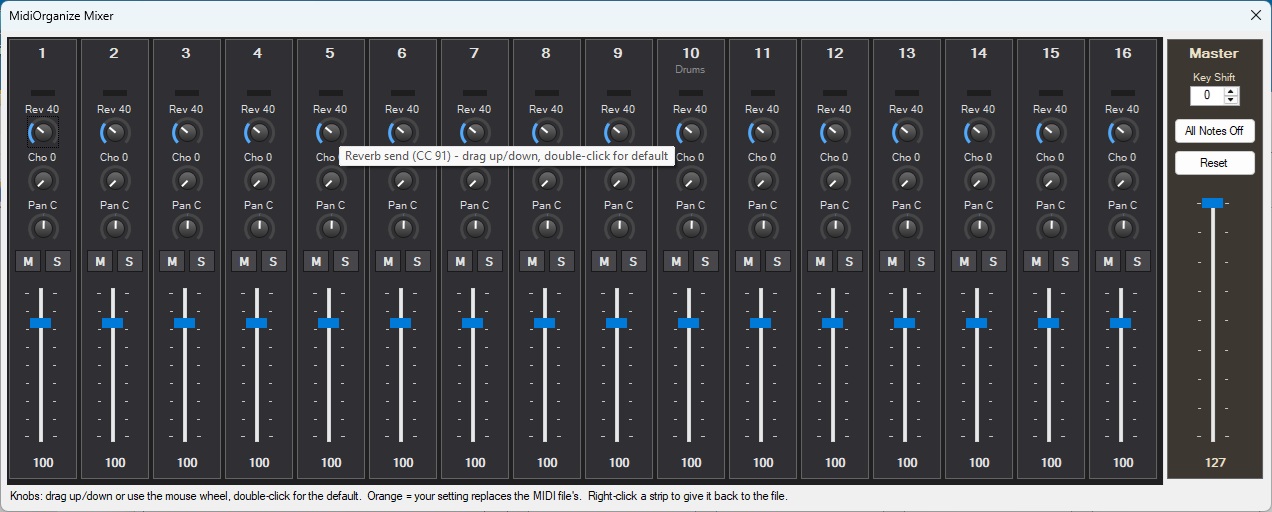
MidiOrganize provides a FREE and simple means to organize and navigate your MIDI instrument loops (drum, bass, piano,...) for use with your DAW (Digital Analog Workstation, such as ProTools, Reaper, Cubase).   Think of MidiOrganize as a PC MIDI librarian, used to catalog MIDI loops by instrument, by song, by set list, or any other criteria you require. MidiOrganize is a stand alone PC program. Once setup, simply drag and drop MIDI loops from MidiOrganize into your DAW MIDI tracks. Additionally, there is a 'preview' feature in MidiOrganize to preview MIDI loops inside MidiOrganize before adding the MIDI loop to your DAW project.

MidiOrganize as an Expense and Performance Alternative to VSTs
VST's are MIDI 'virtual instruments' that run inside your DAW. The sound of the instrument is generated by the VST. VST's are typically expensive, require a license, and often require an internet connection at start up to validate your VST license. The processing burden of each VST on your computer's CPU can be (and is often) severe. Using many VSTs in your mix can add pops, dropouts, and delays to your final mix. MidiOrganize provides a FREE alternative to VSTs. MidiOrganize is a stand alone program that runs outside your DAW. For example, load MidiOrganize with Groove Monkee FREE Drum Loops (or any other instrument loops) and drag the loops from MidiOrganize and drop them in your DAW track. Route the DAW track output to an external MIDI tone generator.

Consider a use case where MIDIOrganize is used with sound modules, such as a Roland Integra 7 SuperNatual Sound Module or the more affordable Yamaha MU15 Tone Generator. When your DAW plays a MIDI track, don't route the MIDI data to a VST, rather, send it an external tone generator connected via USB to your PC. This approach provides superior sound quality, eliminates costly VSTs, reduces the heavy VST load on your PC's CPU. MidiOrganize follows the 'drill down' look and feel of most popular drum VSTs. If you understand the drilldown structure of the most common drum VSTs, MidiOrganize will feel very natural. To conclude, if you currently use one of the many popular drum VSTs (which I dare not mention here), consider the expense of the VST, the licensing of your VST, the internet connection required at PC startup to validate your VST license, and most important, the heavy burden of the VST on your CPU (which can introduce latency and popping in your final mix). You can easily see the many advantages of MidiOrganize!.


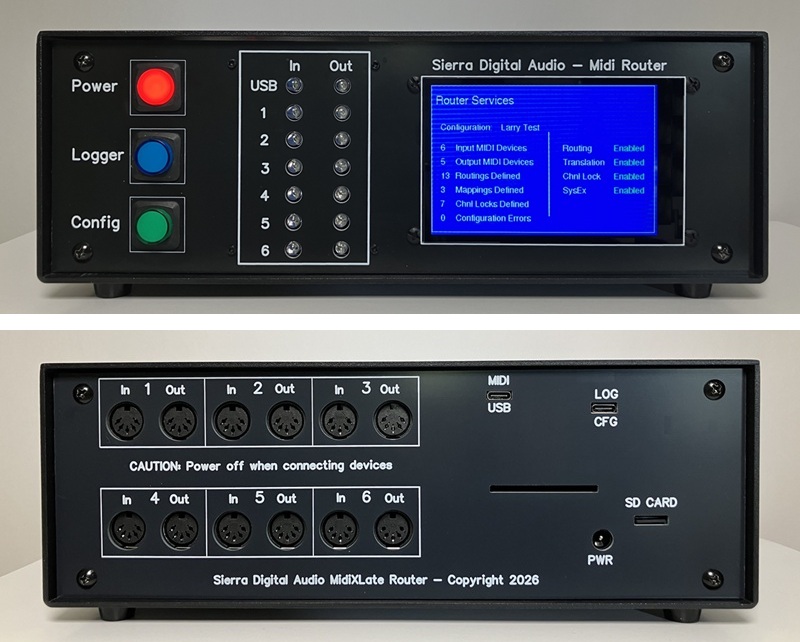
MidiXLate MIDI Router

MIDI routing is the process of transmitting and receiving music data (digitally encoded music notes and control messages) from one musical device (ex: your keyboard) to another musical device (ex: your PC recording software). Typically, MIDI communication is accomplished by connecting all MIDI devices to a MIDI 'hub' which 'broadcasts' ALL MIDI data received at the hub to ALL MIDI devices connected to the hub. This hub approach generates excessive MIDI network traffic and complicates the configuration of each MIDI device. A more strict definition of 'routing' is defining 'routing rules' that are downloaded to the router defining how MIDI data received at the router will be routed (and optionally enhanced) to one or more MIDI devices. This routing approach simplifies MIDI network setup and optimizes MIDI network performance by reducing MIDI network traffic. This router has an extremely fast ARM 84 MHz processor that can parse, process, and route MIDI data in micro seconds. Decernable MIDI latency is detected in tens of milliseconds. Router latency is not a concern.


MidiXLate Additional Information
Click here for a basic MIDI overview.


MIDI Overview
MIDI (Musical Instrument Digital Interface) is a technical standard and communication protocol that allows musical devices (instruments, computers, recording software, pedalboards, effects processors, and more) to communicate with each other. MIDI is used to communicate music note data, music commands, and vendor specific (system exclusive) commands.

Music Note Data:, MIDI can be used to record and play musical notes. For example, when you press a note on a MIDI keyboard, the note number (ie: the note pressed), the note velocity (how hard the note was played) and the keyboard 'channel' are encoded into digital MIDI data which is sent to your computer's recording (DAW) software. Software such as Pro Tools, Reaper, Cubase, can read, record, and play back MIDI data. Playback of MIDI recorded data will sound identical to the original performance. MIDI music data encoding is standardized across all music gear manufacturers.

Music Commands:Your digital piano keyboard likely has buttons, sliders, foot pedals, and wheels to adjust volume, pitch bend a note,..... In MIDI jargon, these are called 'continuous controllers', or more commonly, 'controllers'.. Controllers do not change the note being played but rather transmit information to the listening device. For example, your keyboard may have a slider that is used to control the volume of your keyboard. This slider does not affect the note being played, but 'controls' the volume of the note being played (by sending a MIDI 'continuous controller 7' information to your PC, amplifier, or PA system). The target device recognizes the volume controller and adjusts the keyboard volume accordingly. MIDI Continuous Controller implementation is mostly standardized across all music gear manufacturers.

Vendor Specific Commands:, MIDI provides a free form MIDI format called 'System Exclusive' which provides musical equipment vendors with options to implement manufacturer specific functions in their musical equipment. For example, you may own a Roland guitar effects processor that has hundreds of 'patches'. Each patch has many possible settings, such as reverb, chorus, delay,... Since Roland's guitar effects processors have unique internal circuitry that does not apply across all MIDI device manufacturers, Roland implements unique SysEx commands to control their devices. The most common SysEx commands are backup and restore commands; to backup and restore your MIDI device configuration to your PC.

Click here for more MidiXLate router details.


MidiXLate router details.
The MidiXLate router is a true router, meaning every MIDI packet is inspected and 'routed' to it's intended destination(s). Routing MIDI data greatly reduces MIDI network traffic, eliminating a flood of extraneous MIDI network data. Excessive MIDI note data and MIDI 'active sensing' commands can easily increase MIDI network latency, killing a MIDI network's efficiency. With MIDI routing, the sending and receiving MIDI devices are now much simpler to configure because the MIDI data received at a MIDI device is guaranteed to be intended solely for that MIDI device. For the average home user with only a few MIDI devices, a MIDI router may not add much value. A MIDI hub is the right option. For a performing group (or sophisticated home studio) with a large number of MIDI devices and complicated MIDI network, the MidiXLate router can be a life saver. With MidiXLate, you have complete control of MIDI port 'filtering' and command 'translation' actions. As for MidiXLate's performance, the engine of the router is a blinding fast Atmel SAM3X8E ARM Cortex-M3 processor running at 84 MHz, providing extremely low latency.

In addition to MIDI routing, the MidiXLate router provides 'port filtering' capabilities. For each of the six input ports and six output ports, you can specify, by port, to process or ignore, note on/off, continuous control, progam change, and/or system exclusive commands. The router also provides a pseudo Network Address Translation (NAT) features called 'Translation' where MIDI data can be 'translated from one MIDI format (such as note data) to another MIDI format (such as continuous controller). This is extremely helpful when there is no direct path for one piece of MIDI gear to control another piece of MIDI gear.

Click here for a simple MidiXLate router use case.


MidiXLate router use case.
Assume you have a keyboard (with keys, sliders, knobs, switches, and drum pad) connected to the MidiXLate router on input Port 1.
Further assume you have a Yamaha MU15 drum machine connected to MidiXLate router on output Port 2.
Further assume you have a Roland Integra Synth module connected to MidiXLate router on output Port 3.
Further assume you have a Reaper Digital Analog Workstation (DAW) connected to MidiXLate router input port 4 and output port 4.
Lastly assume you have MidiOX running on a development PC connected to MidiXLate router output port 4.
Configure the MidiXLate software to send Keyboard drum pad data to Yamamha MU15 drum synth.
Next, configure the MidiXLate software to send keyboard keys to Roland Integra synth.
Next, configure the MidiXLate software to send keyboard knobs, sliders, and switches to select Roland synth patches, volume, tempo,...
Next, configure the MidiXLate software to send keyboard transport controls (start,stop, play, record) to Reaper synth.
Next, configure the MidiXLate software to send keyboard knobs, sliders, and switches to select Reaper channels, volume, tempo,...
Optionally, split your keyboard keybed into 'zones' using the MidiXLate 'Translation' feature
Optionally, configure your Reaper DAW to send recorded MIDI performance data to the Yamaha drum synth and Roland Integra synth.
Lastly, start MidiOx on your development PC and monitor ALL the MIDI traffic on your MIDI network!
This configuration would be VERY DIFFICULT to accomplish with a MIDI HUB, but moderately easy with MidiXLate!

Click here for MidiXLate router pricing and availibility.


MidiXLate pricing and availability.
MidiXLate routers are custom builds. I typically build a handful of routers each year. If you would like to 'try before you buy', send an email to SierraDigitalAudio@gmail.com. I rent demo routers for $150 month (in 2024) and the customer pays for shipping (both ways). The price of renting a router is applied to the purchase price. If you want to purchase a new router, the purchase price is $850 (in 2024). I hand build these routers in the mountains of northern California and the profit margin on each router is slim. As a customer, you will receive excellent support (limited phone and unlimited email), discounts for router upgrades & accessories, and priority for router (hardware and software) customizations.