🎸 AxeFXIIControl
A free Windows control screen for the Fractal Audio Axe-Fx II, XL and XL+ — built for playing live.
Free Software
Your Axe-Fx II, on stage and under control
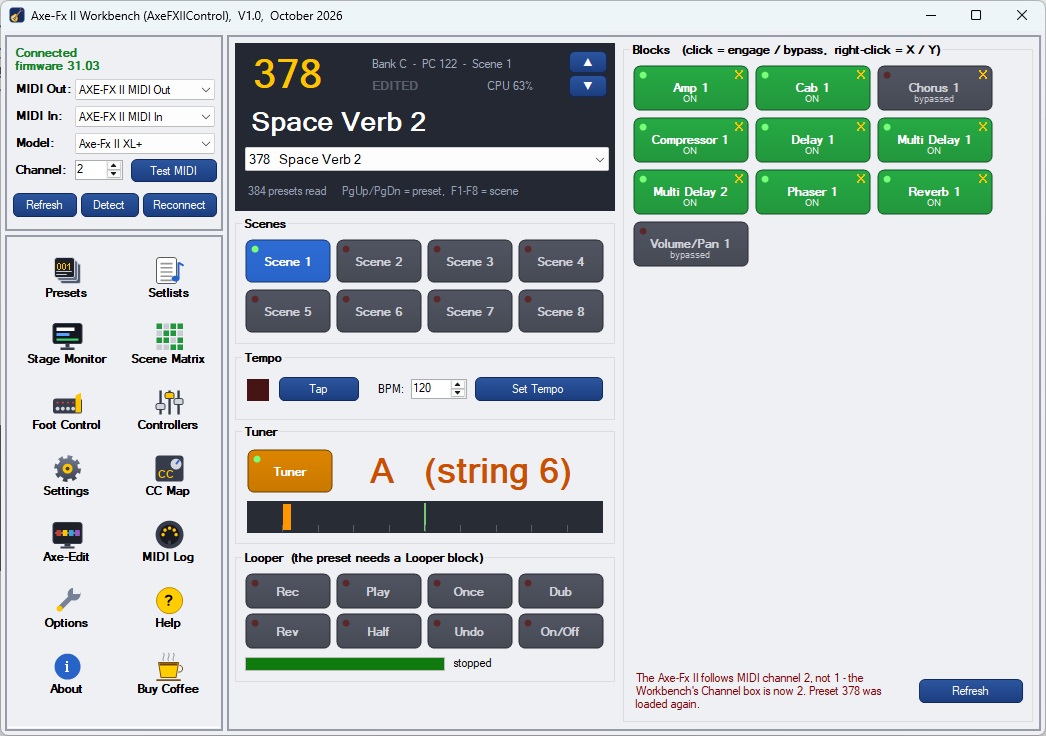
AxeFXIIControl is a computer control screen for the Fractal Audio Axe-Fx II, XL and XL+. It adds features the unit itself does not have (setlists, preset search, a scene matrix) and puts every front-panel function in one searchable, numbered list with step-by-step button instructions and, where possible, a MIDI control that does it for you.
- Live control — preset list by number and name, ▲ / ▼ next and previous, 8 scene buttons, every block's engage / bypass and X / Y, tap and set tempo, tuner readout and looper
- Two-way sync — follows changes made on the Axe-Fx II front panel; connects automatically and keeps trying for 5 minutes if the unit is switched on later
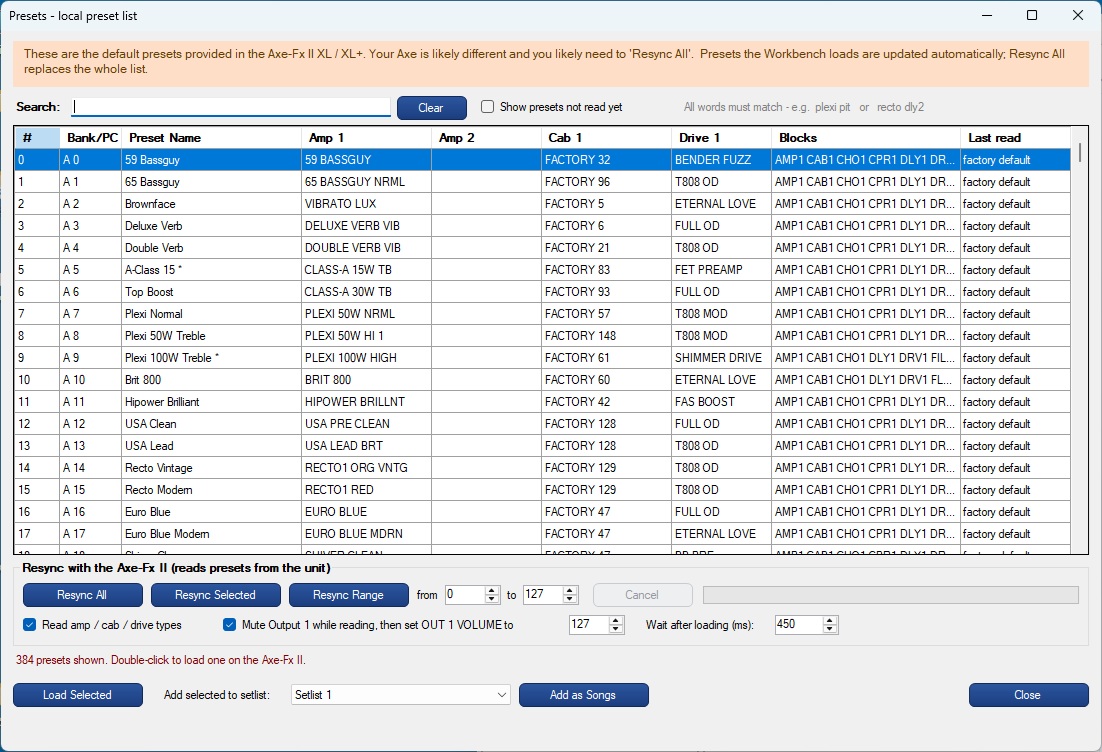
- Presets — a local list of all 768 presets with names, amps, cabs, drives and blocks; instant search; ships with the XL / XL+ factory list; Resync All, Selected or Range
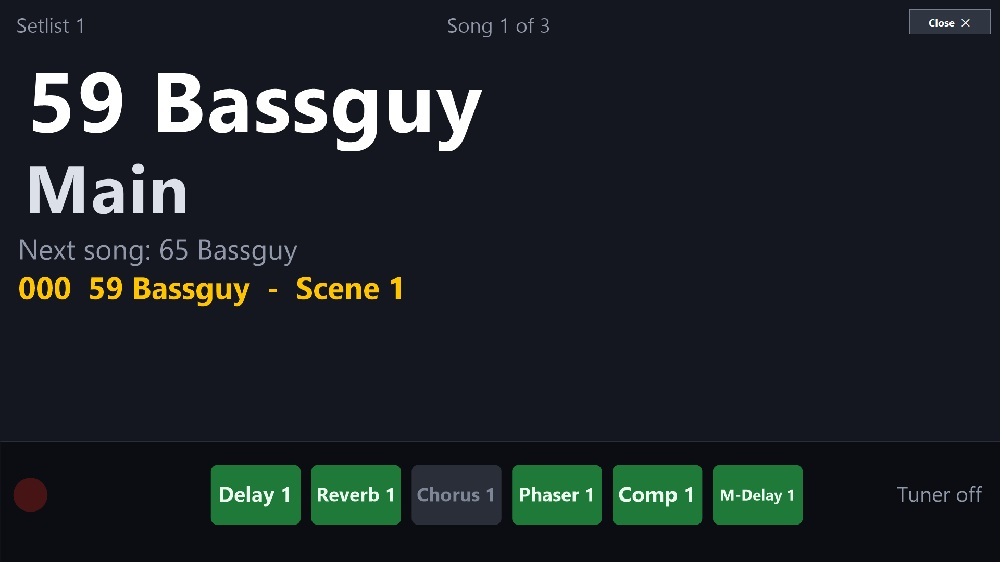
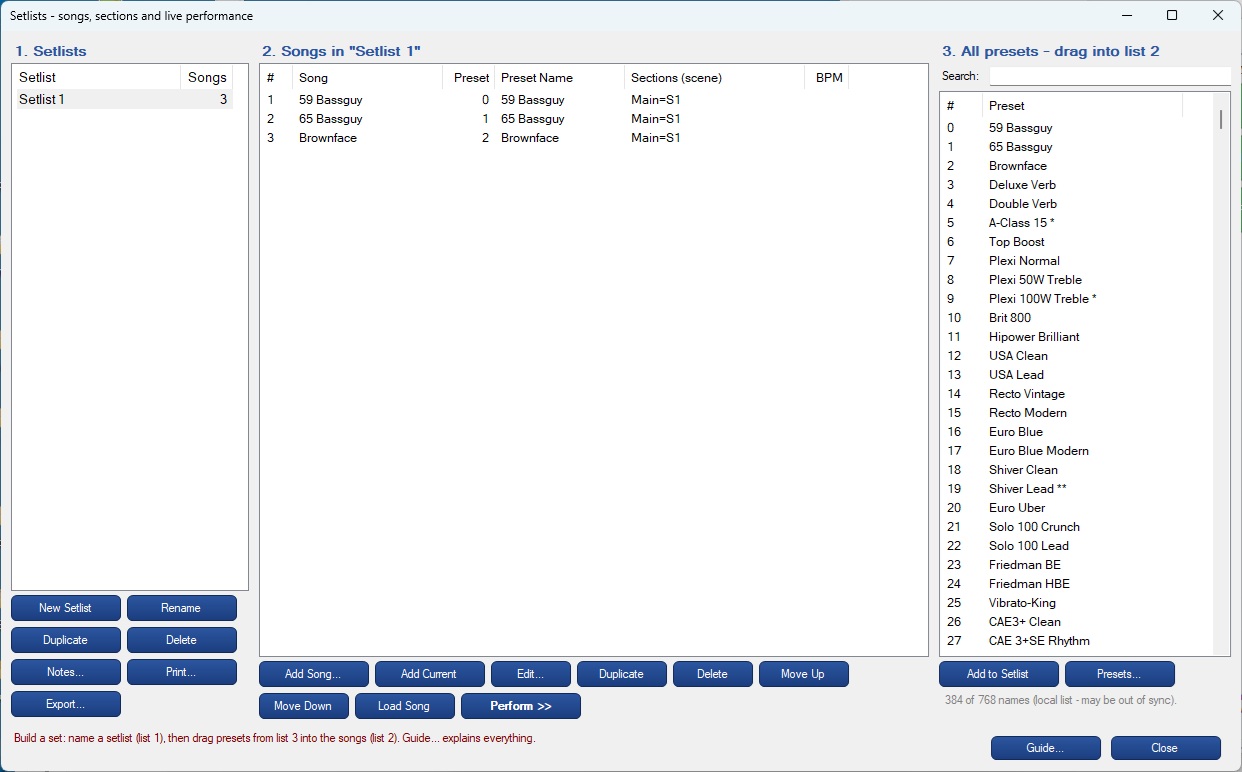
- Setlists — songs with named sections (each a scene, and optionally its own preset), tempo and notes; drag presets in; print and export; full-screen Perform view
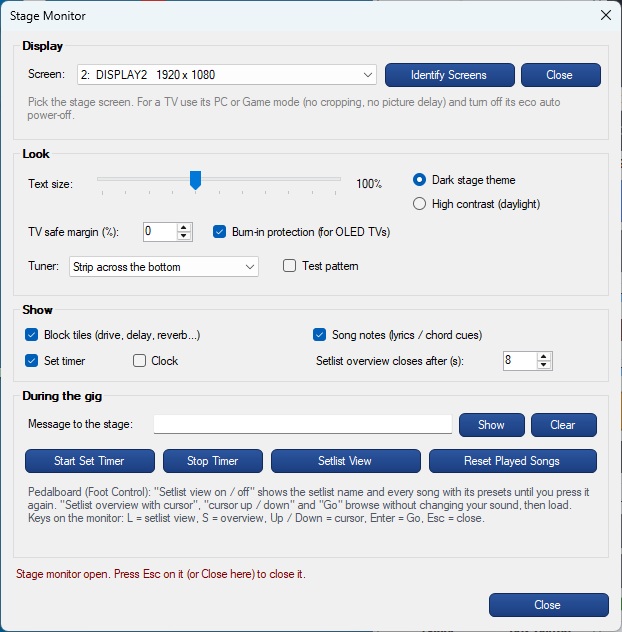
- Stage Monitor — a big display for a second monitor or TV, readable from 10 feet: song, section, next, preset, stage banners (DROP D), tuner strip, setlist view and browse-then-Go
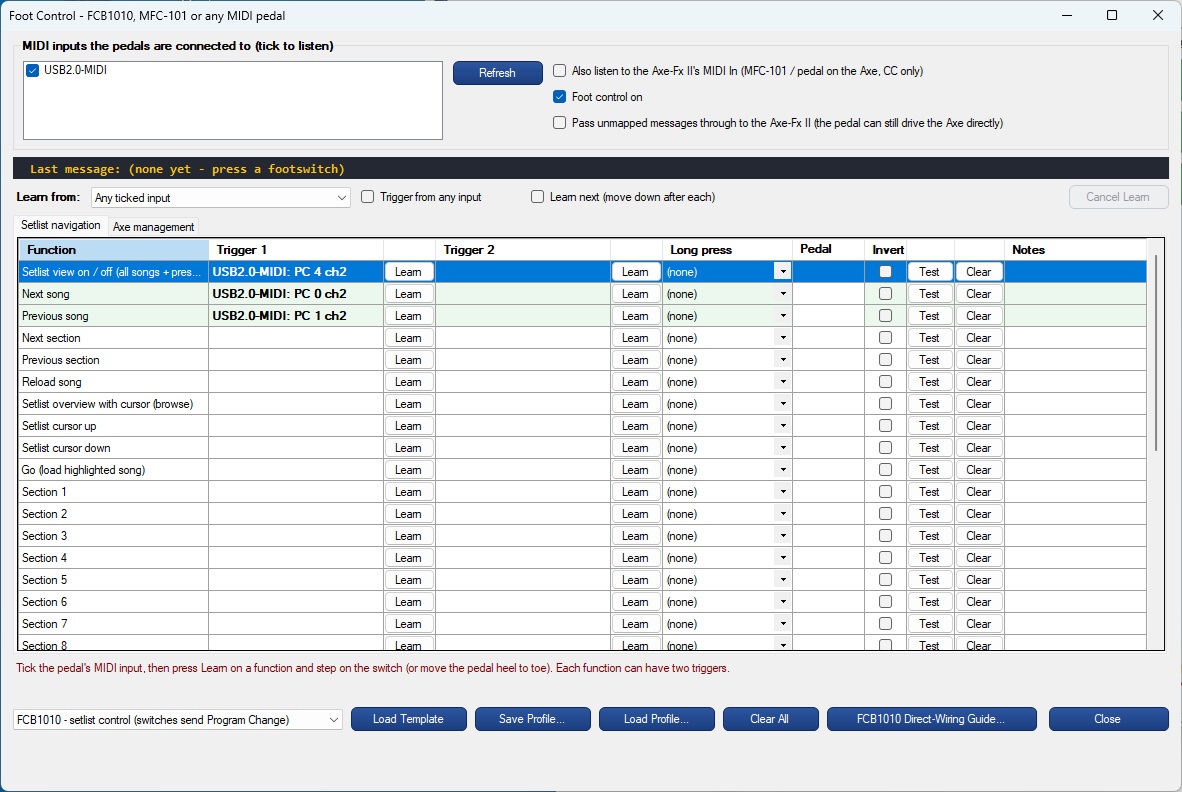
- Foot Control — Behringer FCB1010, MFC-101 or any MIDI pedal; MIDI Learn with Bank + Program Change, latching / momentary switches, pedal calibration, long press and profiles
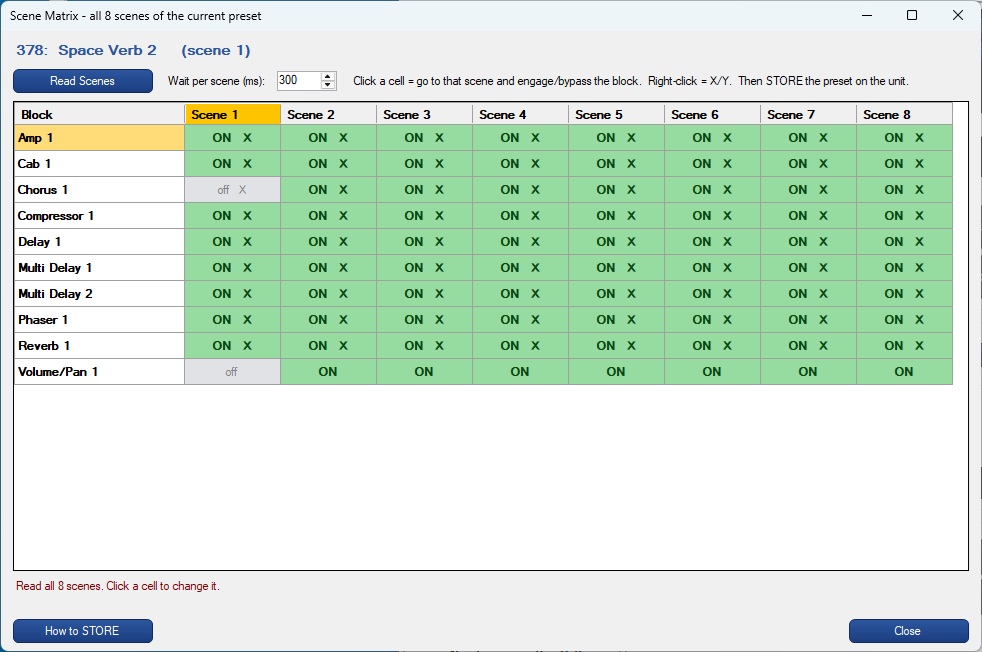
- Scene Matrix — all 8 scenes of a preset against every block on one screen; click to change a block in a scene
- Settings — 98 Axe-Fx II functions numbered by importance and searchable, each with front-panel button steps and, where possible, a MIDI control that does it for you
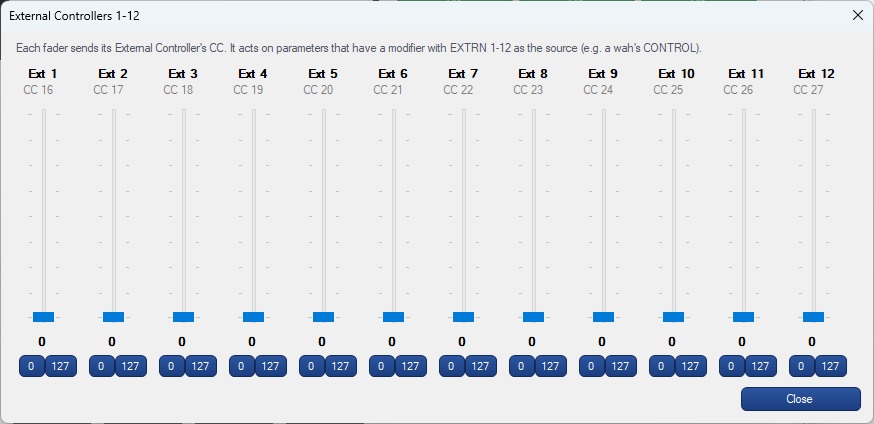
- Controllers — External Controllers 1–12 as faders; CC Map with MIDI Learn-friendly defaults; Test MIDI finds the unit's MIDI channel
- Axe-Edit hand-over — one button starts Axe-Edit and reconnects when it closes
- Standalone — Axe-Fx II USB or any USB-MIDI / DIN-MIDI interface · 100% offline · no license key
📦 GitHub Repository
PDF
AxeFXIIControl Help Guide
🔽 Download AxeFXIIControl Version 1.0 installer (.exe)
AxeFXIIControl installer's digital fingerprint / SHA-256 hash: A209FCA47F9F795338B598E046FAEBE48B3F95DFA58082A848E0332B31A3C24E
What is a SHA-256 hash?
A unique 64-character digital fingerprint calculated from the installer file. If even one byte is altered — by corruption or tampering — the hash changes completely. Comparing it to this value confirms you have a safe, unmodified copy.
How to verify (Windows PowerShell):
Get-FileHash setupAxeFXIIControl-V1.0.exe -Algorithm SHA256
Compare the Hash value in the output to the fingerprint above — they should match exactly.
Fractal Audio, Axe-Fx and Axe-Edit are trademarks of Fractal Audio Systems. Sierra Digital Audio is not affiliated with Fractal Audio Systems.